
Disclosure: some links in this article may be partner links. If you buy through them, we may earn a commission at no extra cost to you. It does not change what we write.
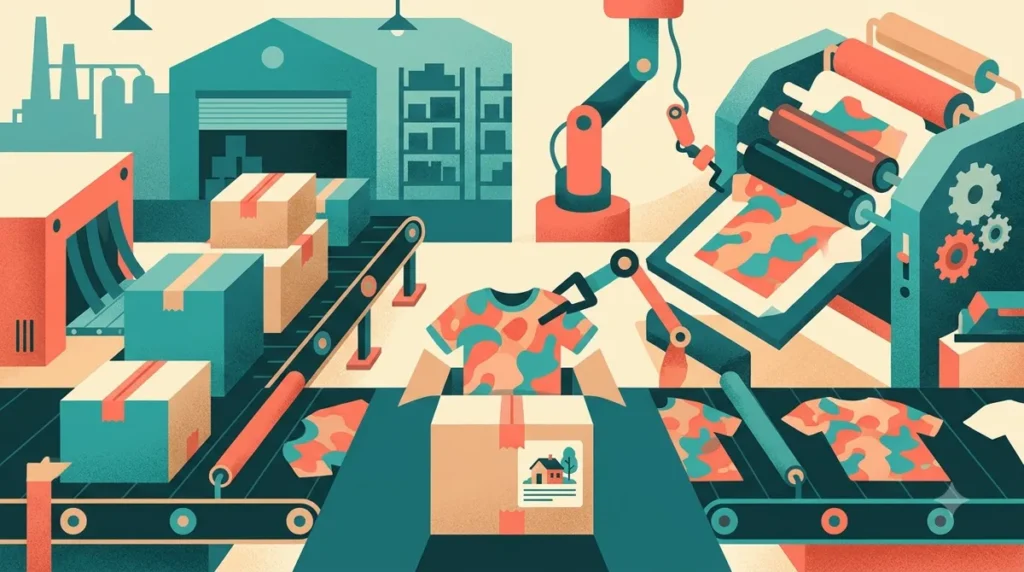
Dropshipping vs print on demand is the real decision hiding inside "Printify vs Spocket." Spocket connects your store to suppliers who already make and stock finished products; Printify prints your own designs onto blank products after each order comes in. If you have designs, a niche audience or a brand people buy for, start with Printify, whose platform is free to use. If you want to sell existing products such as home goods, beauty or pet supplies without creating artwork, Spocket fits better, with paid plans from $39.99 a month after a 7-day trial (as of November 2026).
Below we compare how each app sits in your workflow, what each plan limits, where the money goes, what happens to your data if you leave, the main alternatives, and a two-week pilot to run before paying.
How we compared: based on Spocket's and Printify's official pricing pages, homepages and FAQs, checked November 13, 2026 (prices in US dollars). We have not run paid accounts on either platform. Prices, discounts and limits can change, so confirm them on each official pricing page before you subscribe.
Dropshipping vs print on demand: the short answer
Both models let you sell without buying inventory up front. The difference is what you are selling and who controls the product.
| Question | Spocket (dropshipping) | Printify (print on demand) |
|---|---|---|
| What you sell | Finished products from suppliers in its catalog, with a stated focus on US and EU suppliers | Blank products (2,000+ listed) printed with your own designs |
| Your main job | Pick products, price them, market them | Create designs, pick a print provider, price, market |
| Cost to start | 7-day free trial, then from $39.99/month (monthly billing) | Free plan at $0/month; Premium from $39/month or $24.99/month billed yearly |
| Main limit on the cheapest plan | 25 unique products on Starter | 5 stores per account; unlimited product designs |
| Multiple stores | A separate subscription for each store | 5 stores (Free), 10 (Premium), unlimited (Enterprise) |
| How the company earns | Subscription; 0% transaction fee listed on all plans | A margin inside the fulfillment price you pay per order |
Pick Spocket if you want a catalog of ready-made products and you are comfortable competing on product choice, pricing and ads. Pick Printify if your edge is the design or the audience, such as a podcast, a hobby community, a local team or a niche joke that only your followers get.
How each app fits your store workflow
Spocket: import, price, forward the order
Spocket’s pricing FAQ describes the flow plainly: sign up, connect your store, browse the catalog, add products with one click, and when a customer orders, the supplier packs and ships it. Spocket lists order tracking, automatic fulfillment, bulk checkout, and automatic price and stock monitoring. It also lists chat with suppliers and branded invoices, which matter if you want the parcel to look like it came from your shop.
Store connections listed on Spocket’s site include Shopify, WooCommerce, Wix, Squarespace, BigCommerce, Ecwid, Square, eBay and Amazon, plus AliExpress and Alibaba sourcing. The homepage also lists “Print on Demand and Customization” and the catalog has a print-on-demand category, but print on demand is a side feature there, not the core product.
Printify: design, choose a provider, publish
Printify works in three steps on its homepage: select a product, add your design with its free design tool, and start selling. The pricing page lists 70+ print providers and 140+ print facilities or fulfillment centers. For each product you choose a provider based on base cost, quality and location, then publish to your sales channel. Channels listed include Etsy, Shopify, TikTok Shop, Amazon, eBay, PrestaShop, BigCommerce, Wix, WooCommerce, Squarespace, the Printify API and a Printify Pop-Up Store.
Who does what
- Spocket stores spend their time on product research, supplier checks, product page copy and ads. Little creative work, but other stores can list the same item.
- Printify stores spend their time on designs, mockups and audience building. The product is yours in the sense that nobody else sells your exact design, but every design needs artwork, and every artwork needs an intellectual property check.
Spocket pricing and plan limits (November 2026)
Prices from Spocket’s pricing page, in US dollars per store per month, as of November 2026.
| Plan | Billed monthly | Billed annually | Unique products | Premium products |
|---|---|---|---|---|
| Starter | $39.99/month | No annual price listed | 25 | Not listed |
| Professional | $59.99/month | $24/month (page says “Save $432”) | 250 | 25 |
| Empire | $99.99/month | $57/month (“Save $516”); marked most popular | 10,000 | 10,000 |
| Unicorn | $299.99/month | $79/month (“Save $2563”) | 25,000 | 25,000 |
All plans list unlimited orders, a 0% transaction fee, bulk checkout and 24/7 chat and email support. The annual toggle is labeled “FREE 8 months off.”
What the limits mean in practice
- “Unique products” is the number that bites. Starter caps you at 25 products. A focused store can live with that; a general store testing many items cannot.
- Annual billing changes the ranking. On annual billing Professional ($24/month) costs less than Starter on monthly billing ($39.99). If you are committed for a year, Starter is rarely the cheapest route.
- Each store needs its own subscription. The pricing page says you can manage multiple stores from one account, but “a separate subscription is required for each store.” Two stores on Professional monthly is 2 × $59.99 = $119.98 a month.
- The subscription is not your whole cost. You still pay the supplier’s product price and shipping on each order, plus your store platform and ads.
Is Spocket free?
No. There is no permanent free plan. Spocket offers a 7-day free trial at signup, and the pricing page says you pay only after the trial and can cancel anytime.
Printify pricing: free plan, Premium, and where the money is made
Prices from Printify’s pricing page, in US dollars, as of November 2026.
| Plan | Price | Stores per account | Main additions |
|---|---|---|---|
| Free | $0/month | 5 | Unlimited product designs, product creator, integrations, manual order creation, custom order import, 24/7 merchant support |
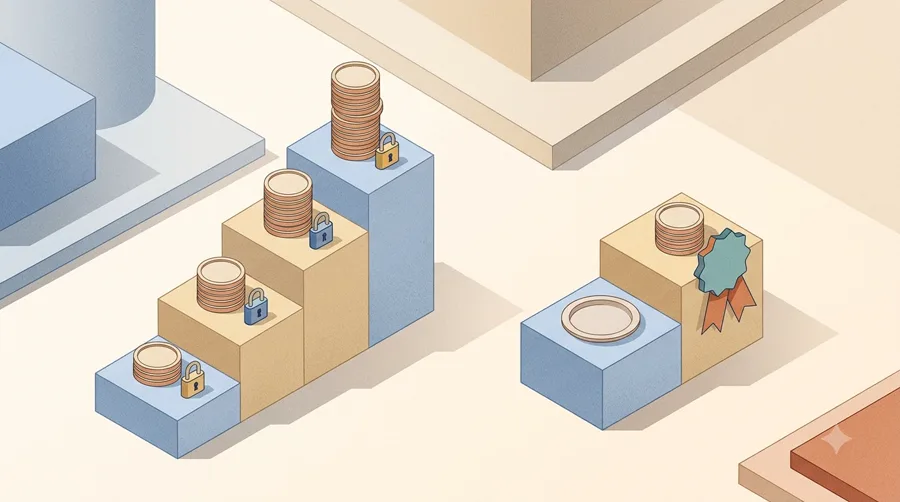
| Premium | From $39/month billed monthly, or from $24.99/month billed yearly (save 36%) | 10 | Up to 20% off all products, up to 33% off new products, up to 33% off custom branding, Printify Connect order management, AI Mockups, early access |
| Enterprise | Custom pricing | Unlimited | Additional discounts, custom API integration, dedicated account manager, branded customer support |
Is Printify free?
Yes, the platform is. Printify’s FAQ says using the platform is free and that it earns a margin on the fulfillment price you pay when a customer orders, with no platform, listing or hidden fees. So “free” means no subscription, not free products: every sale carries a base cost, and the profit calculator notes that its production cost excludes shipping fees, taxes and storefront expenses.
When Premium pays for itself
Premium is a discount plan. It only makes sense once the discounts exceed the fee. Using Printify’s own example of a tee with an $8.77 fulfillment cost, a full 20% discount would save about $1.75 per tee. At $39 a month you would need roughly 23 of those sales a month to break even; at the yearly rate of $24.99 a month, about 15. Discounts are “up to” figures and vary by product, so run the numbers on your own best-sellers first. Premium is non-refundable, so cancel before the renewal date if you change your mind. If you downgrade, you keep platform features and sales channels but pay regular product prices again.
Is print on demand better than dropshipping?
Neither model is better in general. Each fails in a predictable way, so pick the failure you can manage.
Where print on demand wins
- Nothing to pay before you sell. On Printify’s free plan, a store with no sales costs nothing on the Printify side.
- Your product is harder to copy. A competitor can find the same blank hoodie, but not your design and your audience.
- Testing is cheap. You can publish ten designs in an afternoon and keep the two that sell.
Where print on demand struggles
- Margins are thin on basics. Base cost plus shipping eats a lot of a $20 to $25 product price. Printify’s example tee earns over $11 at $19.99, before shipping, taxes, fees and ads.
- You need designs. Either your own skills, a designer, or AI images you have the rights to use.
- Intellectual property risk. Printify links an intellectual property policy in its footer. Song lyrics, team logos and characters are the classic takedown triggers.
Where dropshipping wins
- No creative work. You can open a store around a product category in a weekend.
- Wider product range. Kitchen tools, pet beds and phone accessories are not things you can print.
- US and EU suppliers. Spocket’s pitch is that many suppliers ship from the US or Europe, which can help delivery to those markets. Shipping times vary by supplier, so check each product page.
Where dropshipping struggles
- Anyone can sell the same item. Competition shifts to ad costs and price.
- A fixed monthly fee from day one. After the trial you pay whether or not you sell.
- Supplier dependence. Stock-outs, price changes and packaging are in the supplier’s hands. Spocket lists automatic price and stock monitoring, which helps, but does not remove the risk.
Data, exports and lock-in
People comparing apps often forget to ask what happens when they leave. Here is what the official pages say, and what to check yourself.
- Your storefront is the anchor. With both apps, customers buy through your Shopify, WooCommerce, Etsy or similar store, so customer and order records live on that platform first. Keep that store as your system of record and export orders from it regularly.
- Spocket product limits are per plan. If you downgrade from 250 to 25 unique products, ask support or check the help center for what happens to listings above the new cap before you switch.
- Printify downgrades are spelled out. Moving from Premium to Free keeps platform features and sales channels; only product prices go back to regular.
- APIs. Printify lists its own API as a sales channel, and Enterprise adds custom API integration. Spocket’s pricing page does not describe an API, so ask before building anything custom on it.
- Designs are your files. Keep the original artwork outside Printify in a shared drive. Mockups can be regenerated; lost source files cannot.
Before committing to either, run through our buyer’s checklist for software selection and note the answers.
Printify vs Spocket by situation
- You have an audience but no products (a creator, club, podcast or local business): Printify. Start on the free plan and sell merch your audience already asks for.
- You want to test product niches fast without designing anything: Spocket. Use the 7-day trial to shortlist products, then pick a plan by how many products you will actually list.
- You run several small stores: Printify’s free plan covers 5 stores per account. On Spocket every store needs its own subscription, which adds up quickly.
- You want to sell to US or EU customers with faster local delivery on general products: Spocket’s US and EU supplier focus is the reason to choose it. Verify delivery times product by product.
- You sell mostly on Etsy: Printify lists Etsy as a sales channel. Spocket’s integration list on its pricing page does not include Etsy, so check its integrations page if Etsy matters.
- You want both: a general store with a small branded merch line is possible, since both list Shopify. Start one model first and add the second only when the first is selling.
Alternatives worth a look
If neither fits, these are the names that come up most in the same searches. We have not compared their pricing here; check each official site.
- Dropshipping: DSers, Zendrop and AutoDS are the usual comparisons for Spocket. People often weigh supplier location, automation depth and per-store pricing.
- Print on demand: Printful and Gelato are the usual comparisons for Printify. Printify works as a marketplace of print providers you choose per product, so ask each alternative how it handles production and quality checks, and compare base cost plus shipping on the same three products.
Whatever you pick, budget the whole stack, including store platform, apps and ads, not just the fulfillment app. Our guide on budgeting for an app stack before paying has a simple worksheet approach. If customer questions start piling up once orders flow, our Gorgias review covers help desk costs for stores.
A two-week pilot to decide
You can test both models for little or no subscription cost if you plan the days.
- Day 1: write your one-sentence store. “Funny mugs for nurses” points to print on demand. “Calm-down toys for anxious dogs” points to dropshipping.
- Days 2–4: Printify side (free). Create five designs, compare two print providers on base cost and location for the same product, and order one sample to your own address.
- Days 5–11: Spocket side (7-day trial). Start the trial only when you are ready to work. Shortlist 15–20 products, message two suppliers with questions about shipping times and returns, and order one sample.
- Day 12: compare unit economics. For your three best candidates in each model: selling price minus product cost, shipping, payment fees and an ad cost estimate. Keep the ones with a margin you can live with.
- Day 13: compare the samples. Packaging, print or product quality, delivery time, invoice.
- Day 14: decide and size the plan. For Spocket, choose the plan by product count and cancel before the trial ends if the numbers do not work. For Printify, stay on Free until the discount math above says Premium pays off.
For a general structure you can reuse for any app, see our one-week evaluation plan.
Final verdict
Choose Printify if your advantage is a design or an audience: the platform is free, it covers up to 5 stores on the free plan, and Premium only matters once order volume makes its discounts larger than the fee. Choose Spocket if you want to sell ready-made products from US and EU suppliers and can commit to a monthly fee from $39.99 per store (or $24 a month on Professional with annual billing) as of November 2026. In the dropshipping vs print on demand question, the cheaper starting point is print on demand; the faster route to a wide catalog is dropshipping.
Verdict
Printify suits print-on-demand sellers with designs or an audience and costs nothing until you sell. Spocket suits dropshippers who want a catalog of ready-made products and accept a per-store subscription from $39.99 a month. Run the two-week pilot and decide by unit margins, not by app features.
Best for
- Printify: creators and niche brands with designs or an audience, starting at $0
- Spocket: sellers who want ready-made products from US and EU suppliers
- Printify: people running several small stores on one account
Look elsewhere if
- Spocket: owners of many stores on a small budget (one subscription per store)
- Printify: sellers without designs or the rights to the artwork they want to use
- Either: brands that need full control over packaging and stock
Frequently asked questions
Is print on demand better than dropshipping?
Neither is better in general. Print on demand is cheaper to start and harder to copy but needs designs and has thin margins on basics. Dropshipping needs no creative work and offers a wider range of products, but competitors can sell the same items.
Is Spocket free?
No. Spocket has no permanent free plan. It offers a 7-day free trial, then plans start at $39.99 per month on monthly billing as of November 2026. You can cancel anytime according to its pricing FAQ.
Is Printify free?
The Printify platform is free on its $0 plan with up to 5 stores and unlimited designs. You pay the fulfillment price, which includes Printify’s margin, plus shipping when a customer orders. Premium starts from $39 per month or $24.99 per month billed yearly.
How much does Spocket cost per month?
As of November 2026, monthly billing: Starter $39.99, Professional $59.99, Empire $99.99, Unicorn $299.99. On annual billing, Professional is $24, Empire $57 and Unicorn $79 per month. Each store needs its own subscription.
Does Spocket do print on demand?
Spocket lists print on demand and customization as a feature and has a print-on-demand catalog category, but its core product is dropshipping from existing suppliers. If custom designs are your main business, a dedicated print-on-demand app such as Printify is the more direct fit.
Can I use Printify and Spocket on the same store?
Both list Shopify among their integrations, so connecting both to one store is technically possible. Start with one model, and add the second only after checking how each app routes orders for its own products.
Related reading
- A Buyer’s Checklist for Software selection AI Tools
- How to Budget for an AI Stack for Professionals shortlisting AI apps before paying
- Gorgias Review: Pricing Your Ticket Volume Before AI Answers
- Carbon6 Review: Questions to Ask Before a Sales Call
- A One-Week Evaluation Plan for Software selection AI Software